
New · Groot Swap
Turn your coins into cash or crypto
The coins you win in Assault Front can now be sold to other players on Groot Swap, the player market on groot.games. Buyers pay you in pesos (GCash, Maya, bank transfer), US dollars (PayPal, Wise) or CELL crypto. Groot Games holds the coins in escrow until the money arrives, so neither side can run off with the other's part.
Players set the prices. Groot Games does not buy coins itself; a sale needs a buyer.
Before your first trade
- Get a Groot ID at groot.games, confirm your email and turn on 2-step sign-in. Trading and withdrawals ask for a 2-step code.
- Link the game. In Assault Front open Settings › Groot ID / Telegram and sign in with your Groot ID. That is how Groot Swap knows which game account is yours.
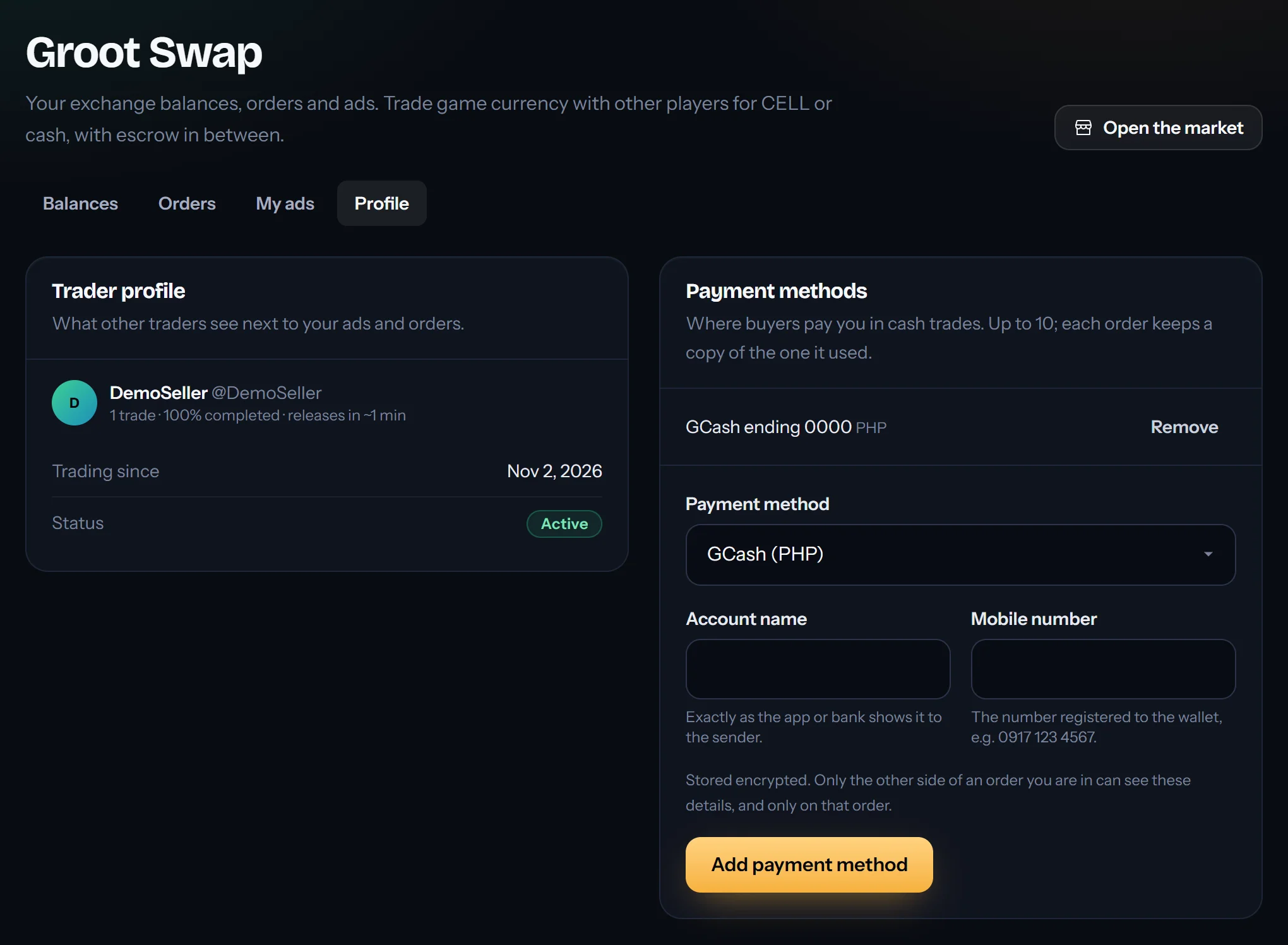
- Accept the trading terms on Groot Swap's Profile tab (you must be 18 or older). If you want to be paid in cash, add your GCash, Maya, bank, PayPal or Wise account there. Only the player in an order with you sees it.
Selling coins, step by step
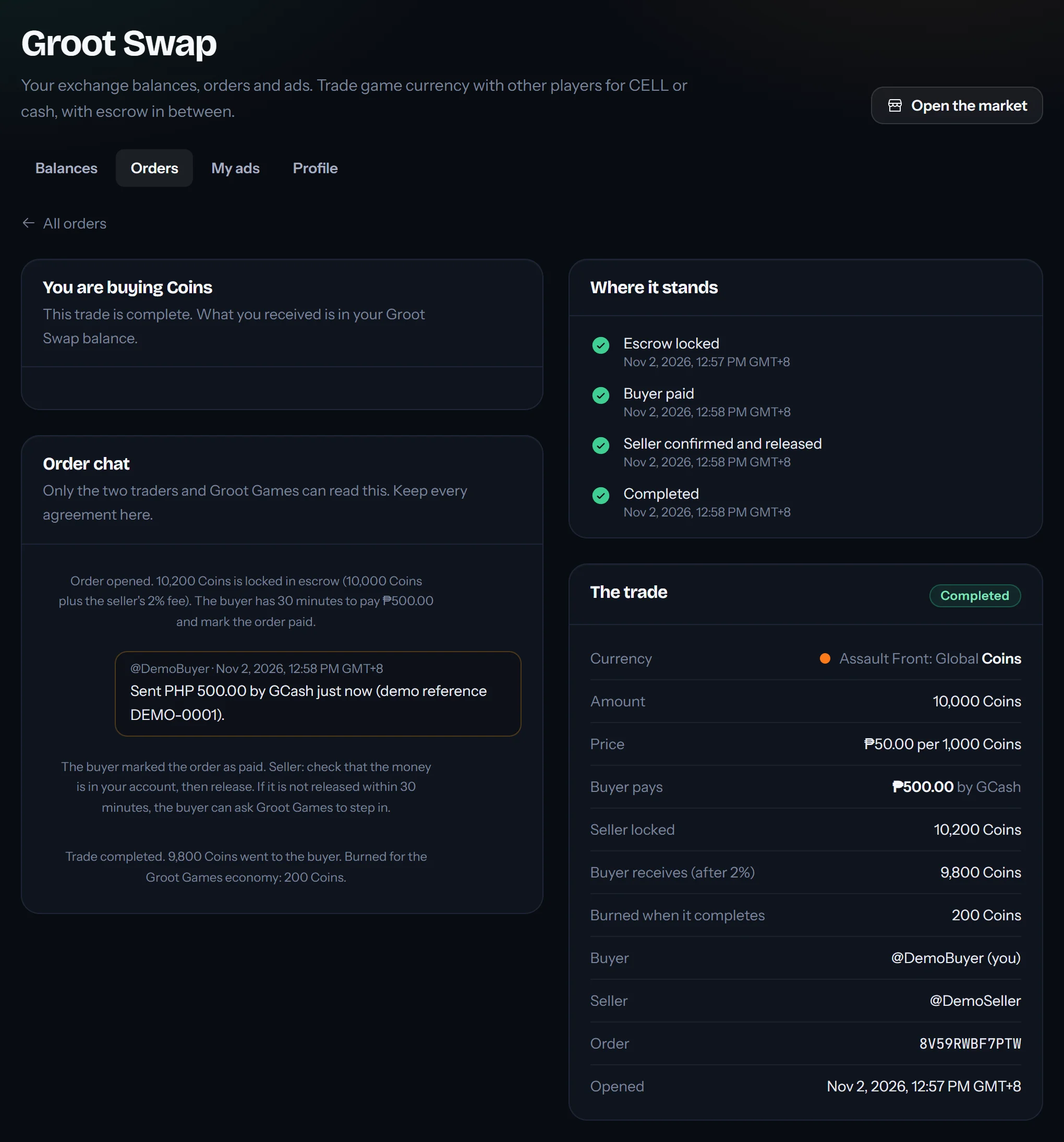
This is a real trade on a test copy of Groot Swap, between two demo players: DemoSeller sells 10,000 coins to DemoBuyer for ₱500 by GCash.
1. Deposit coins from the game
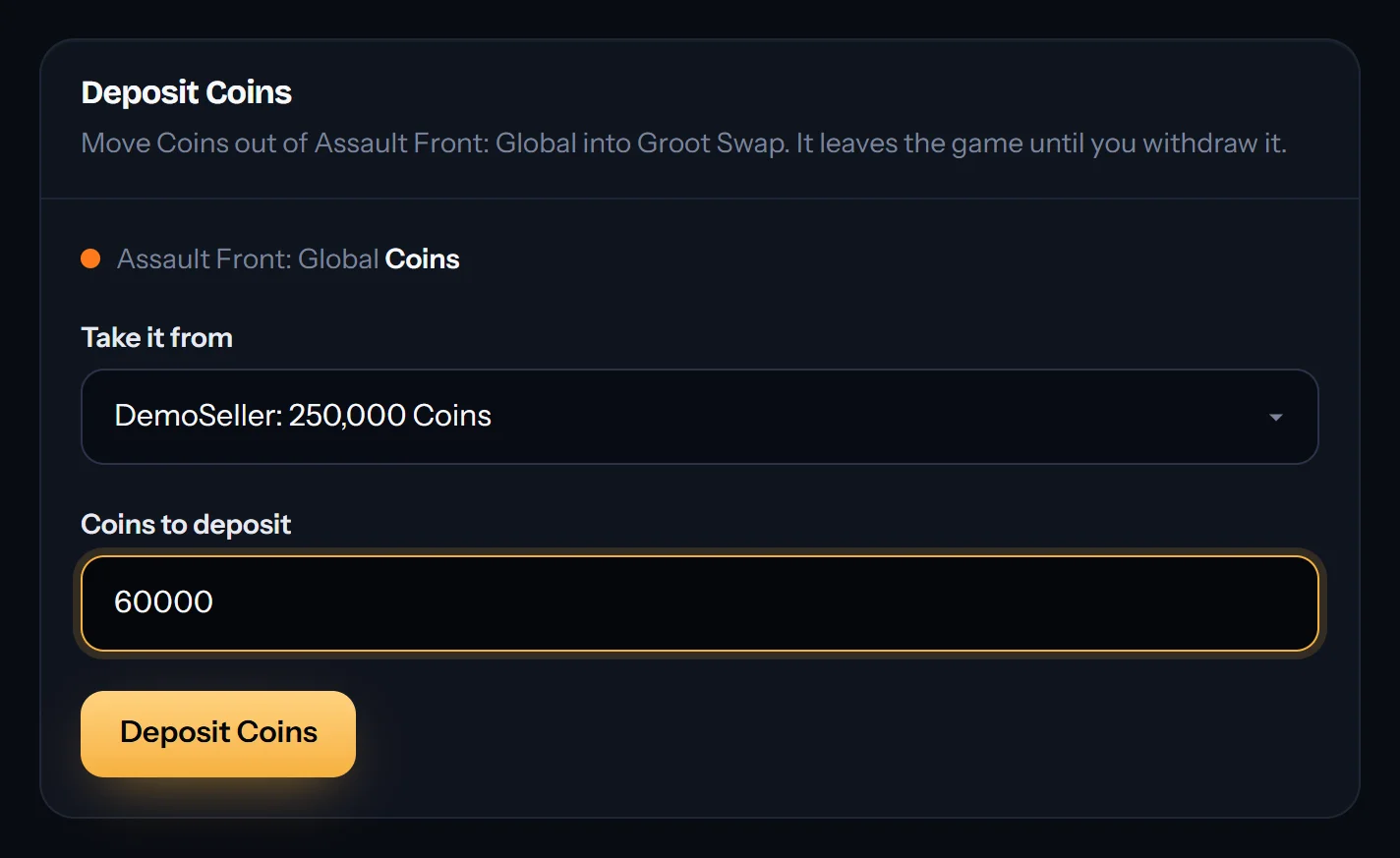
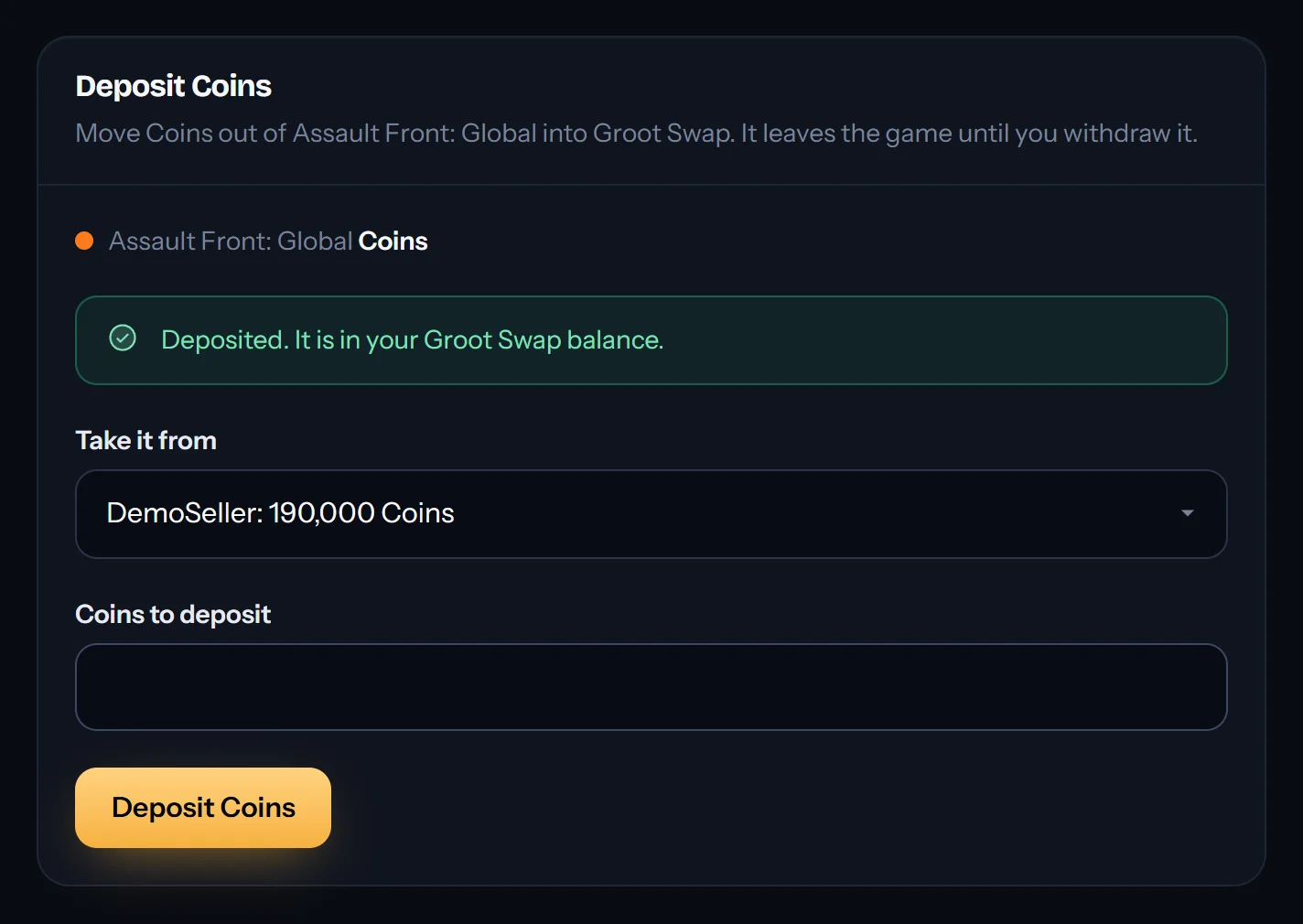
On the Balances tab press Deposit next to Coins, pick your game account and the amount. The coins leave the game and wait in your Groot Swap balance until you sell them or send them back.
2. Post a sell ad
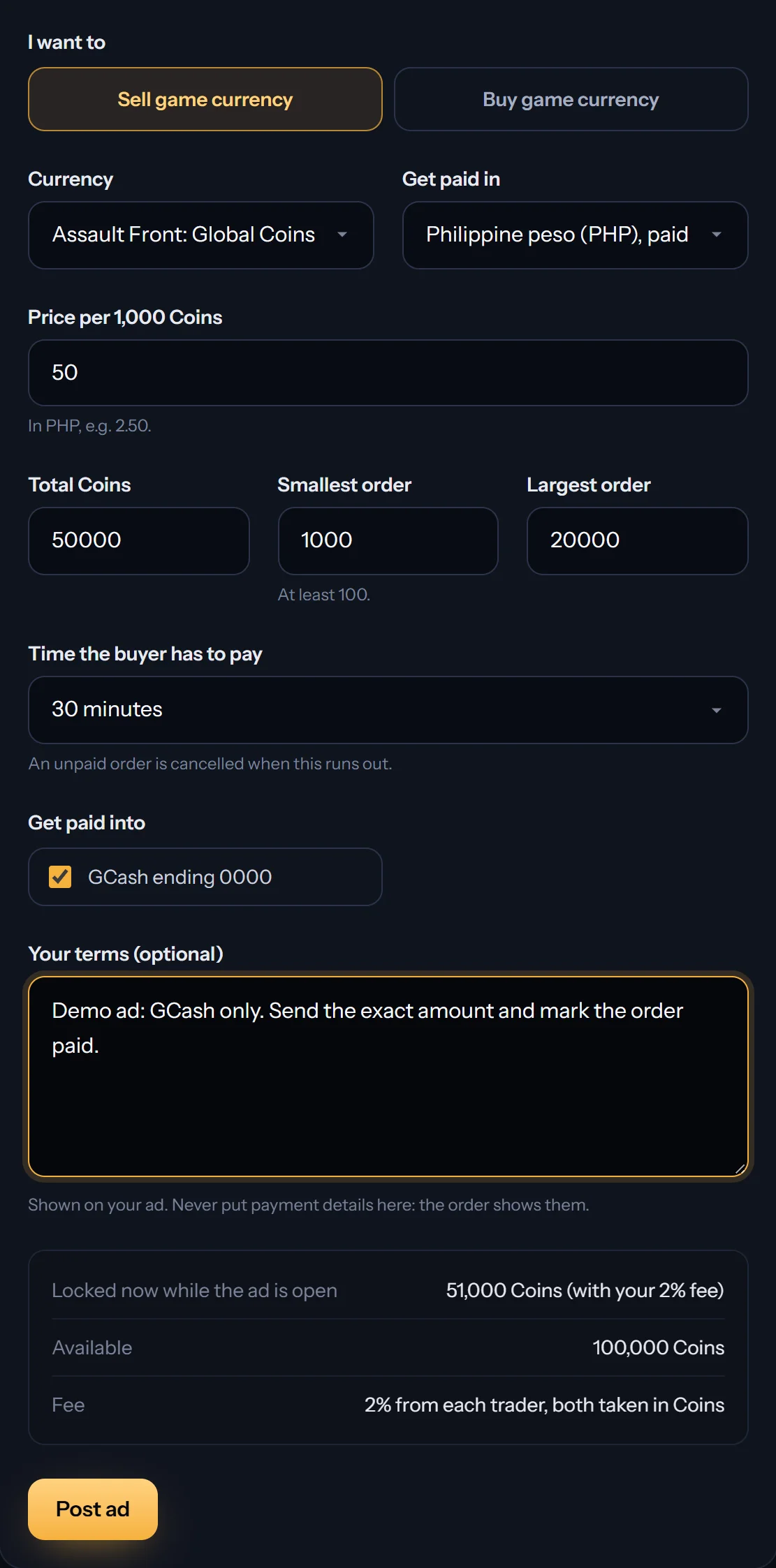
Press Post an ad, choose Sell game currency, Coins, how you want to be paid (pesos, dollars or CELL) and your price per 1,000 coins. Set how many coins you sell, the smallest and largest order, how long a buyer has to pay, and the accounts you are paid into. The coins for the ad are set aside while it is open; close the ad and whatever is left comes back.
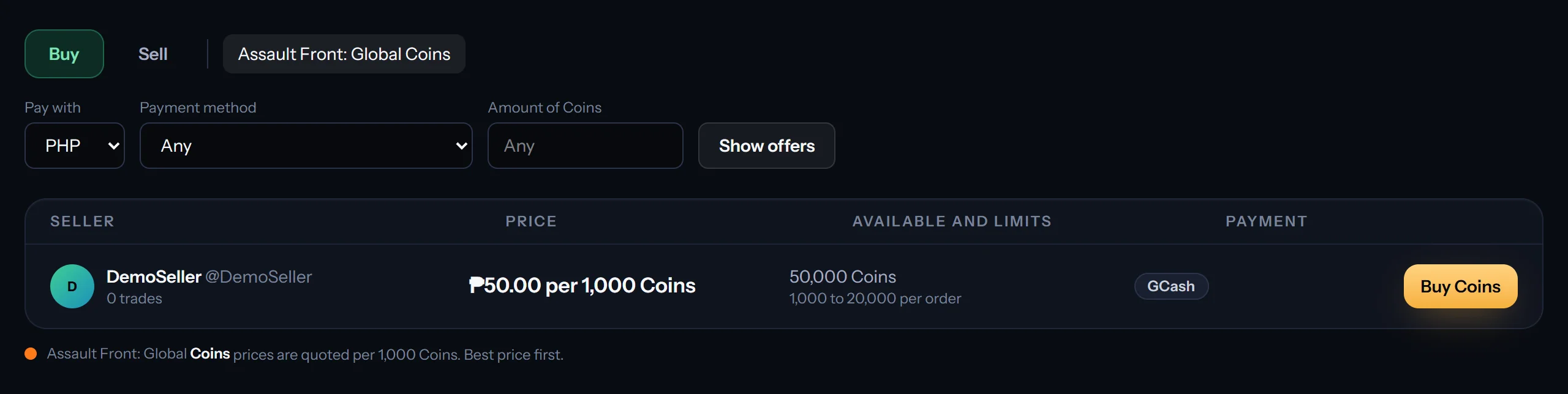
3. A buyer opens an order
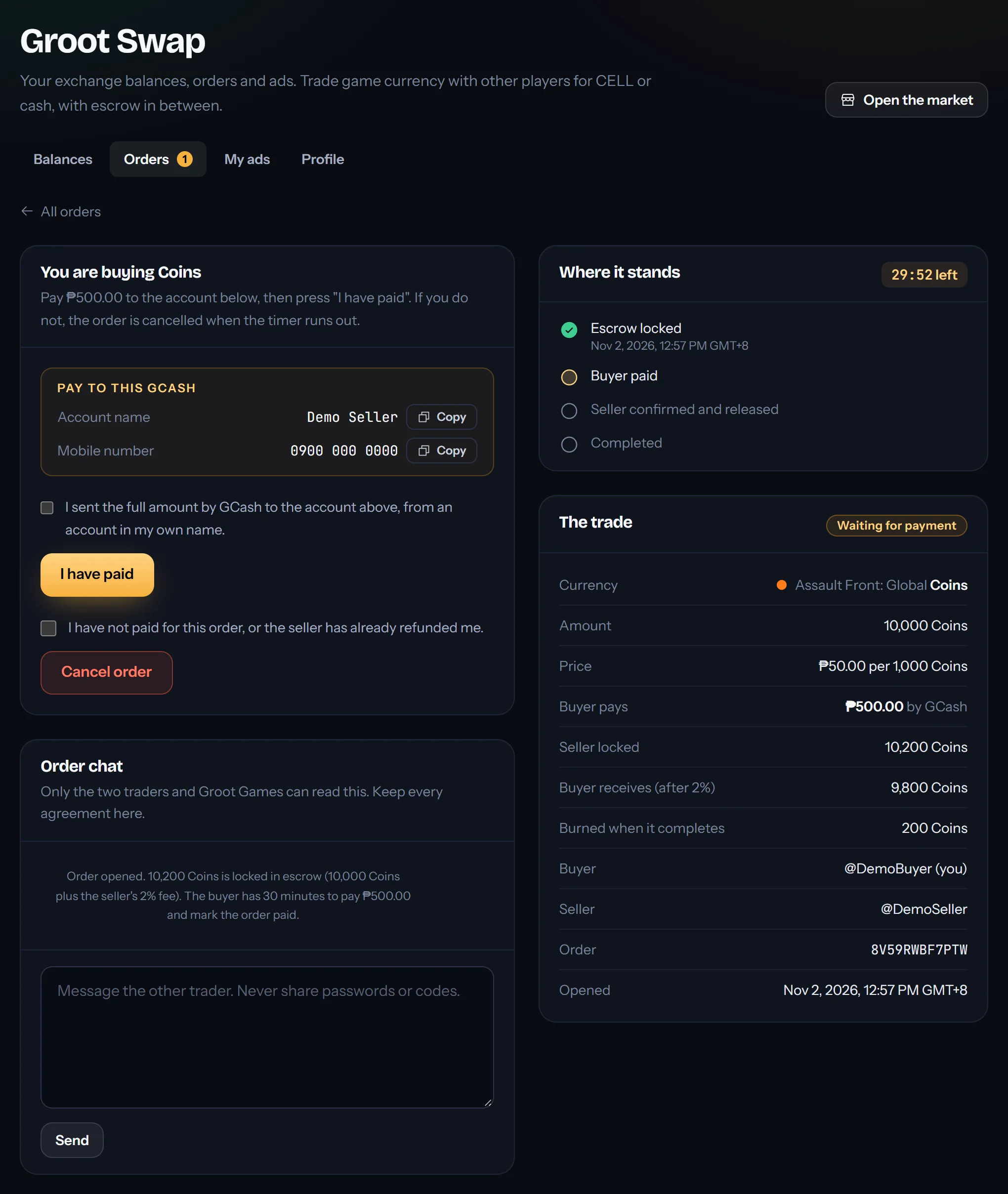
The buyer picks an amount and presses Buy Coins. Your coins for that order are locked in escrow, and the buyer sees your payment details and a timer. If the buyer does not pay in time, the order is cancelled and the coins go back to you.
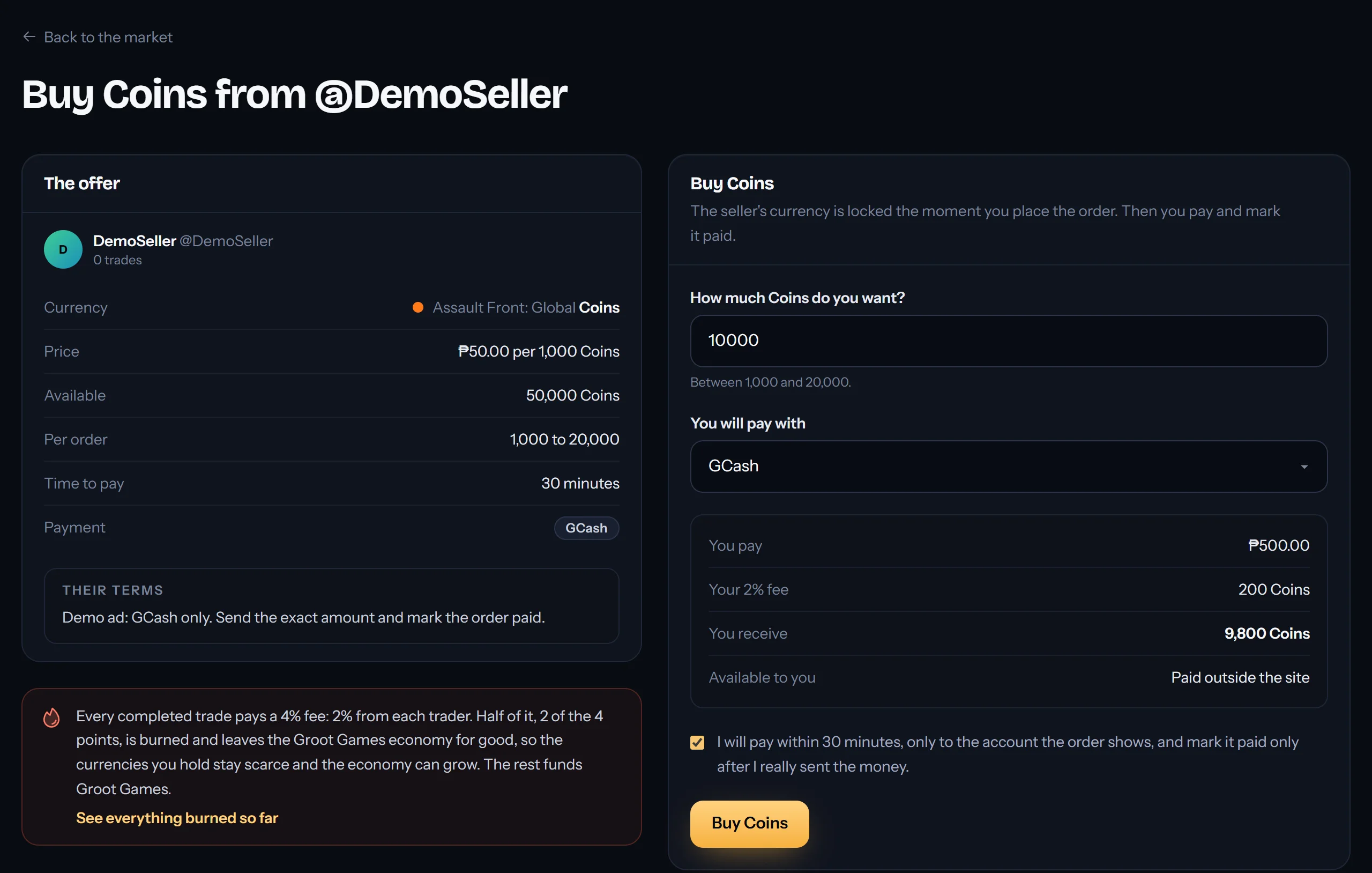
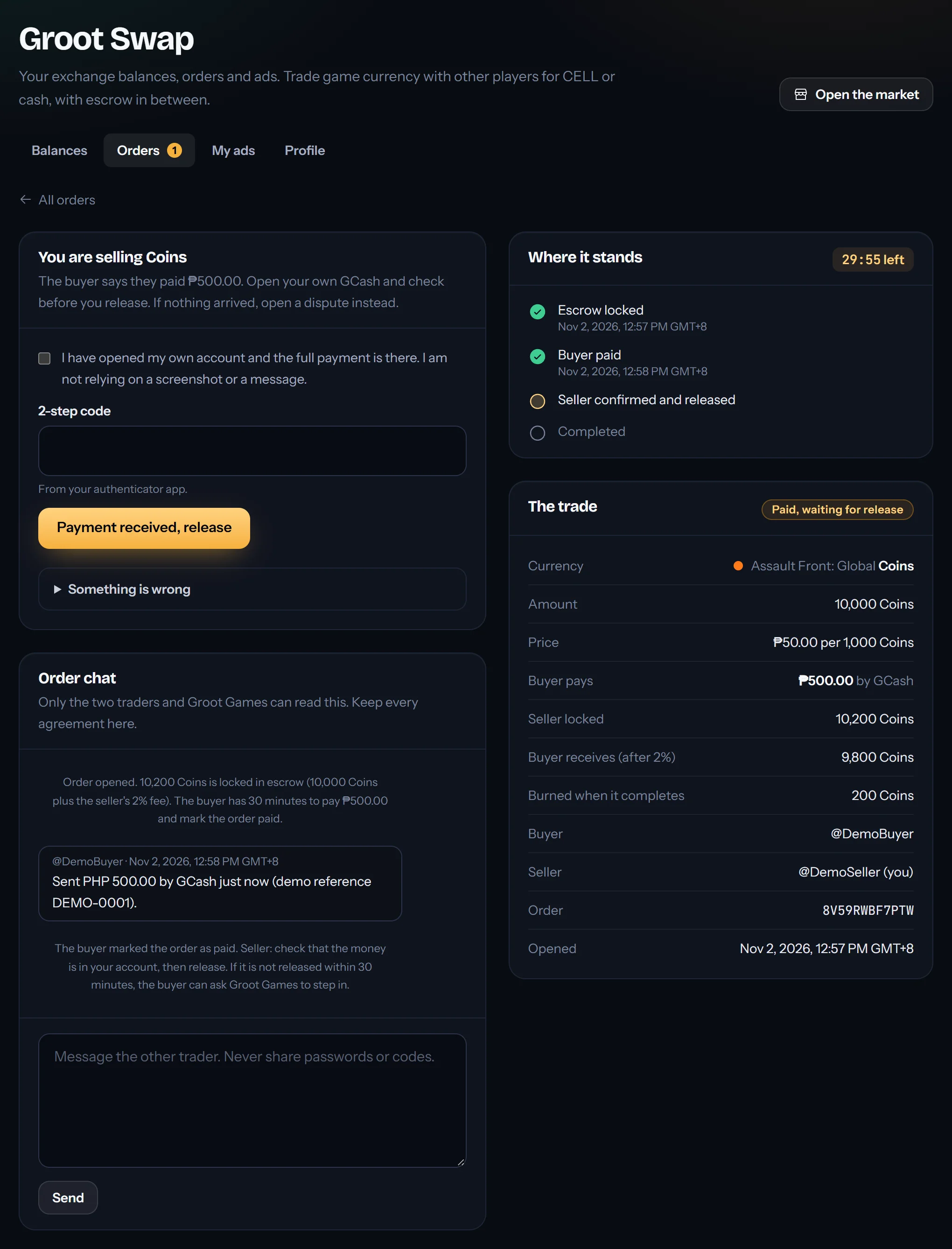
4. Check your account, then release
When the buyer presses I have paid, open your own GCash, bank or wallet. Only when the full payment is really there, press Payment received, release with your 2-step code. Never release because of a screenshot or a message.
5. Buyers: send the coins to the game
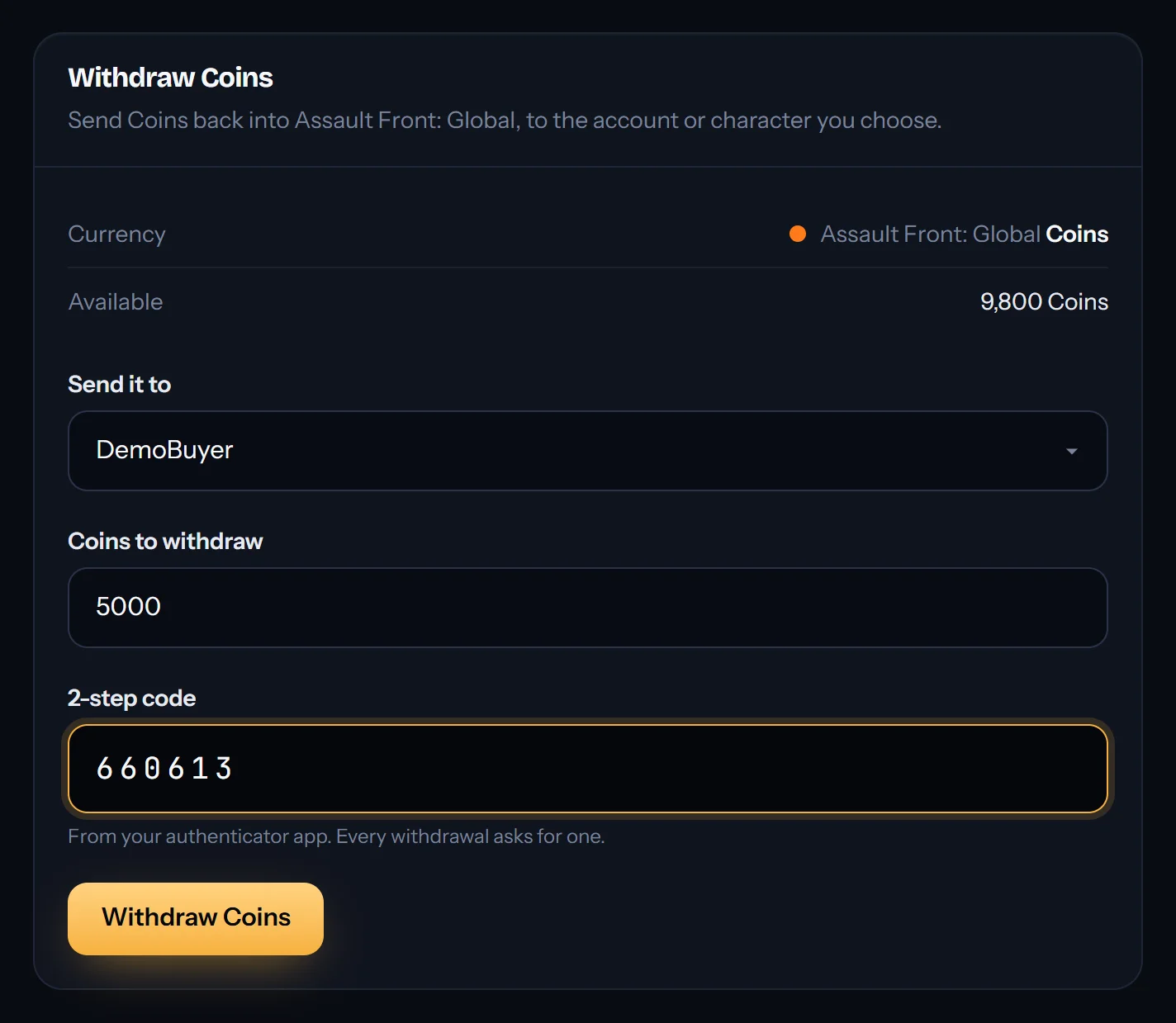
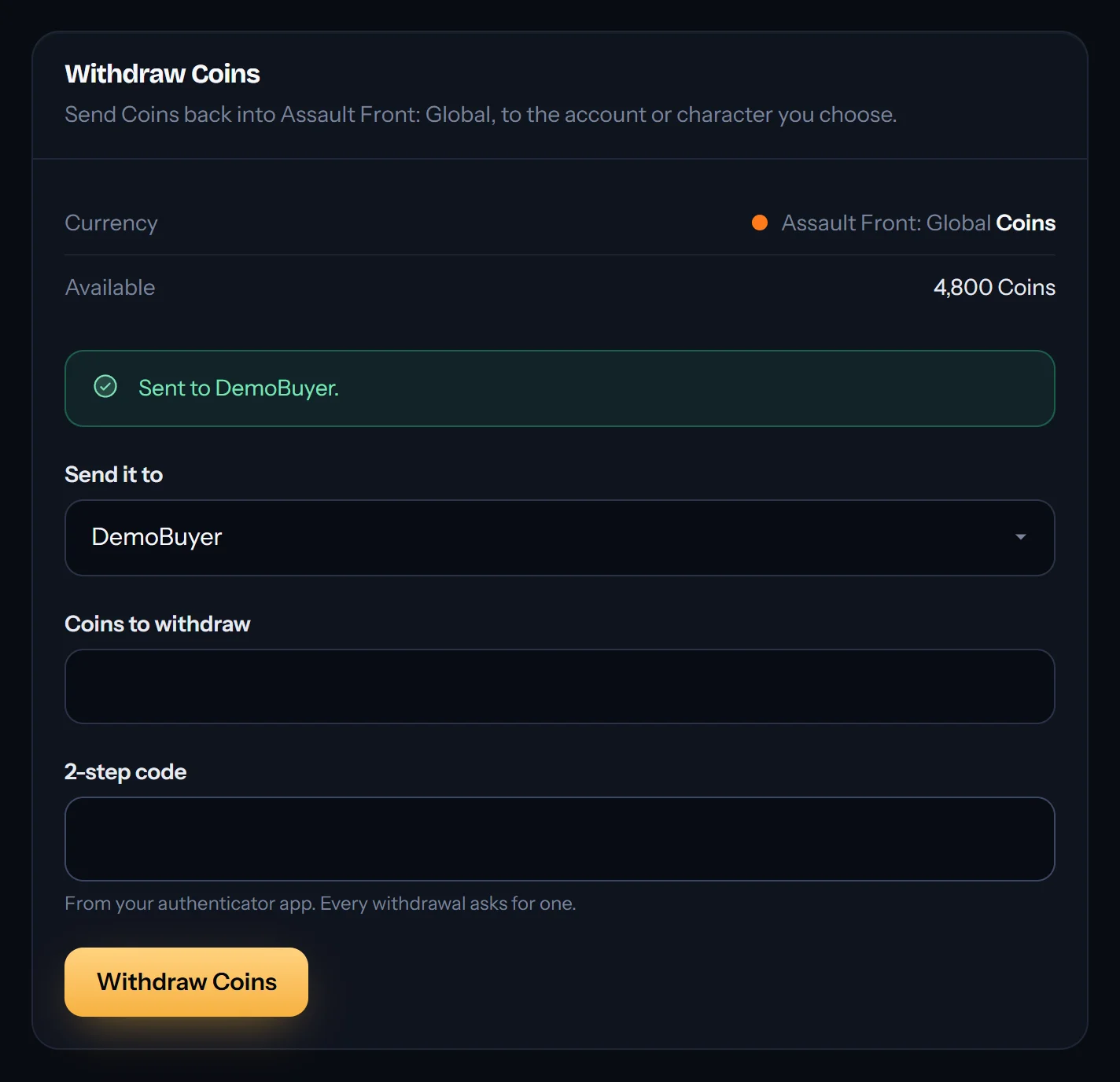
Bought coins land in your Groot Swap balance. Press Withdraw, pick your game account and the amount, enter your 2-step code, and they are back in Assault Front. Sellers can do the same with coins they did not sell.
Fees
Each completed trade costs 2% from each player. In a cash trade both fees are taken in coins: the seller sets aside 2% extra and the buyer receives 2% less. Selling 10,000 coins locks 10,200, and the buyer receives 9,800. Half of all fees are burned for good, which keeps coins scarce; the other half supports Groot Games.
Paid in CELL
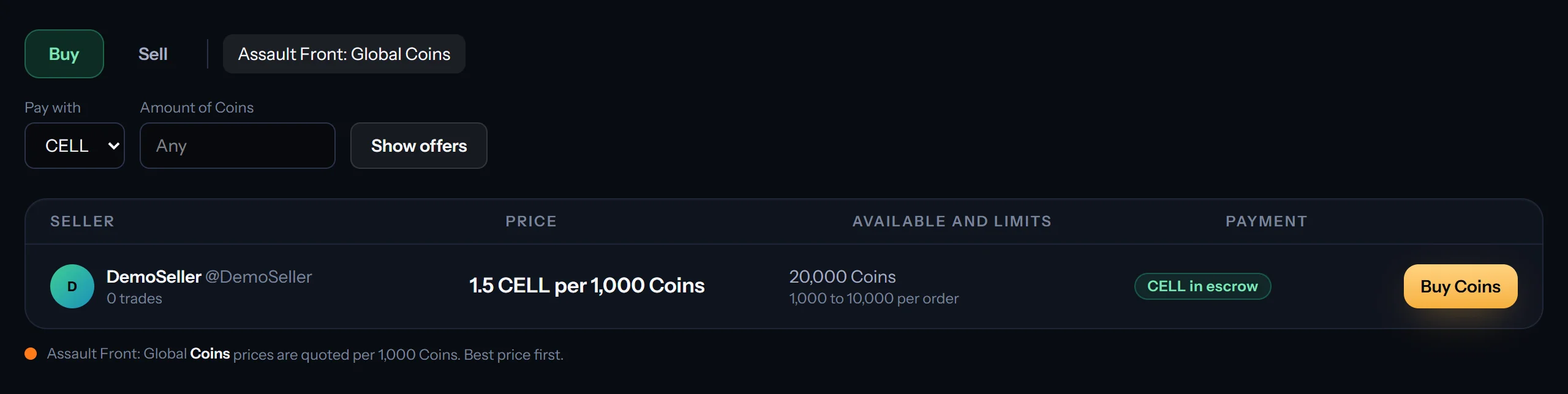
CELL is the coin of the QSDM network. A CELL trade needs no outside payment: the coins and the CELL are both locked when the order opens, and the trade completes when the other player confirms. If they do not confirm in time, both sides go back. You deposit and withdraw CELL with the wallet linked to your Groot ID.
Stay safe
- Pay and get paid only through the order. Use the account the order shows, from an account in your own name, and keep every agreement in the order chat. Groot Games can read it if there is a dispute.
- Sellers: release only after checking your own account. A screenshot is not a payment.
- Buyers: press “I have paid” only after you really sent the full amount.
- Something wrong? Press Something is wrong on the order and Groot Games steps in. An order left unreleased for a day goes to Groot Games by itself.
- Nobody from Groot Games will ever ask for your password or 2-step code.
Groot Swap is run by Groot Games on groot.games. Its full rules are in the Groot Games terms.